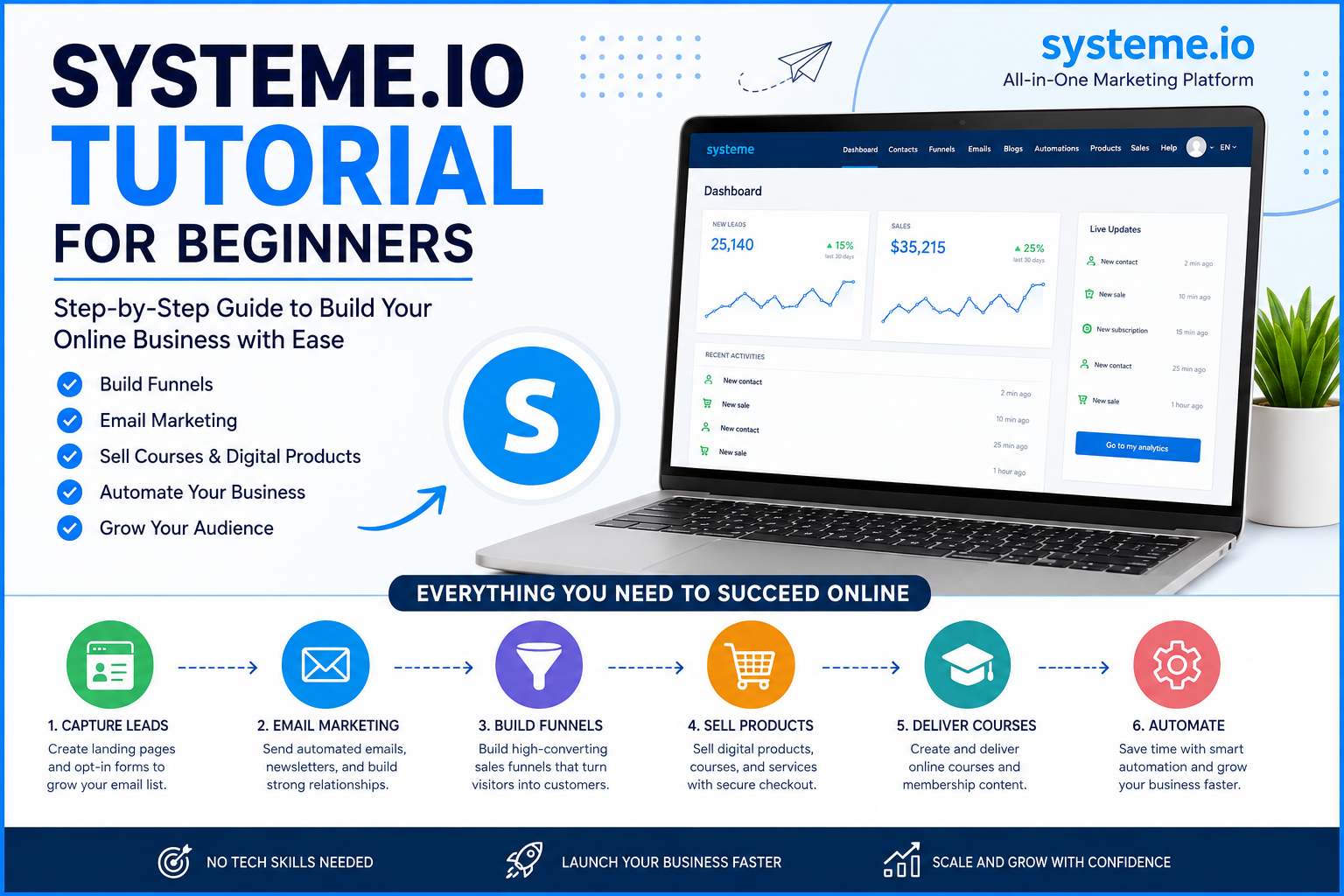

Starting an online business can feel complicated when you have to manage landing pages, sales funnels, email marketing, online courses, payments, automation, and customer management with different tools. Systeme.io is designed to bring many of these functions together inside one platform, making it particularly useful for beginners who want to launch without building a complicated technology stack.
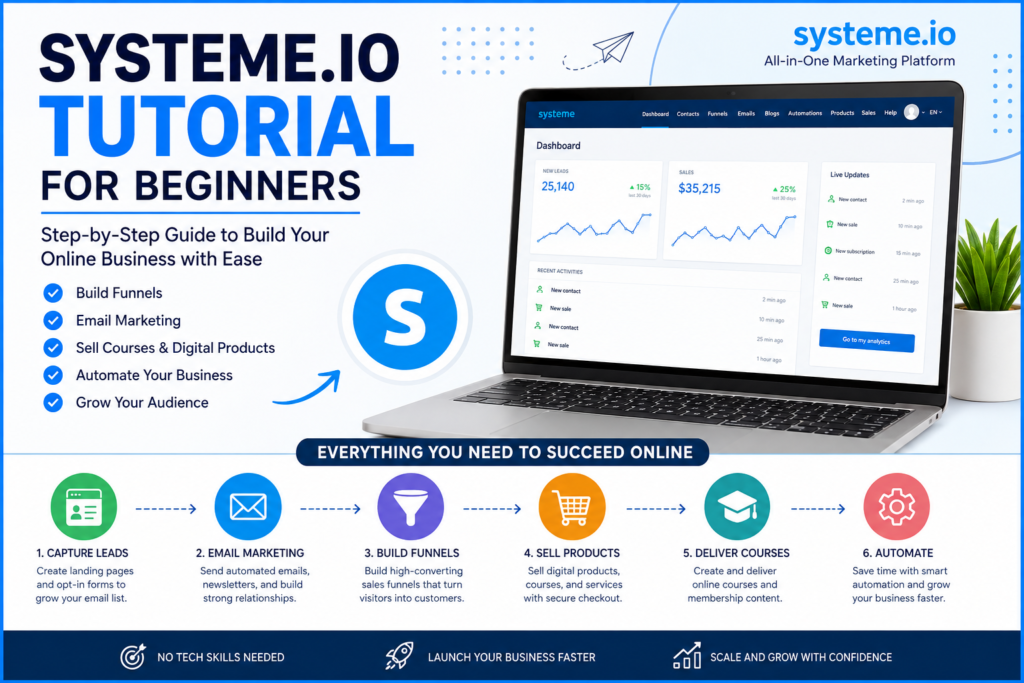
In this Systeme.io tutorial for beginners, we will walk through the essential features and explain how to use them to create a simple online business system. The platform currently provides tools for funnels, email marketing, automation, courses, websites, blogs, affiliate programs, and other online-business functions.
What Is Systeme.io?
Systeme.io is an all-in-one online marketing and business platform that allows entrepreneurs, creators, marketers, coaches, freelancers, and small businesses to manage several important activities from one dashboard.
Instead of purchasing separate software for a landing-page builder, email marketing, sales funnel, course delivery, and automation, beginners can use Systeme.io to connect these activities within one ecosystem.
The main areas beginners should understand are:
- Sales funnel building
- Landing pages
- Email marketing
- Marketing automation
- Online courses
- Membership websites
- Digital products
- Affiliate management
- Website and blogging
- Contact management
- Payments and checkout
- Order bumps and upsells
Systeme.io’s own learning resources currently cover funnels, email marketing, courses, automation, traffic, conversion optimization, and other online-business topics.
How Systeme.io Works for Beginners
The easiest way to understand Systeme.io is to think of it as the infrastructure behind an online business.
A basic customer journey might look like this:
Traffic → Landing Page → Lead Capture → Email Sequence → Sales Page → Checkout → Product Delivery
For example, suppose we want to sell an online course.
A visitor could arrive from Google, Facebook, Instagram, YouTube, or a paid advertisement. The visitor lands on a Systeme.io landing page and enters an email address to receive a free resource.
The visitor is then added to the contact database and can receive an automated email sequence. After building trust, the emails can introduce the paid course and direct the subscriber to a sales page.
The customer then completes the checkout process and receives access to the product.
This is the basic concept behind a Systeme.io sales funnel. The platform combines the major components needed to create this journey.
Step 1: Create Your Systeme.io Account
The first step is to create a Systeme.io account.
After registering, we can access the main dashboard, where the different business tools are organized.
For beginners, we recommend avoiding the temptation to configure everything immediately. Instead, we should start with one specific business objective.
For example:
Goal: Build an email list and sell a digital product.
Once that goal is clear, the rest of the setup becomes much easier.
The official Systeme.io tutorial library includes beginner-focused training covering contacts, lead-generation funnels, product funnels, emails, automation, courses, digital files, blogs, affiliate programs, and more.
Step 2: Understand the Systeme.io Dashboard
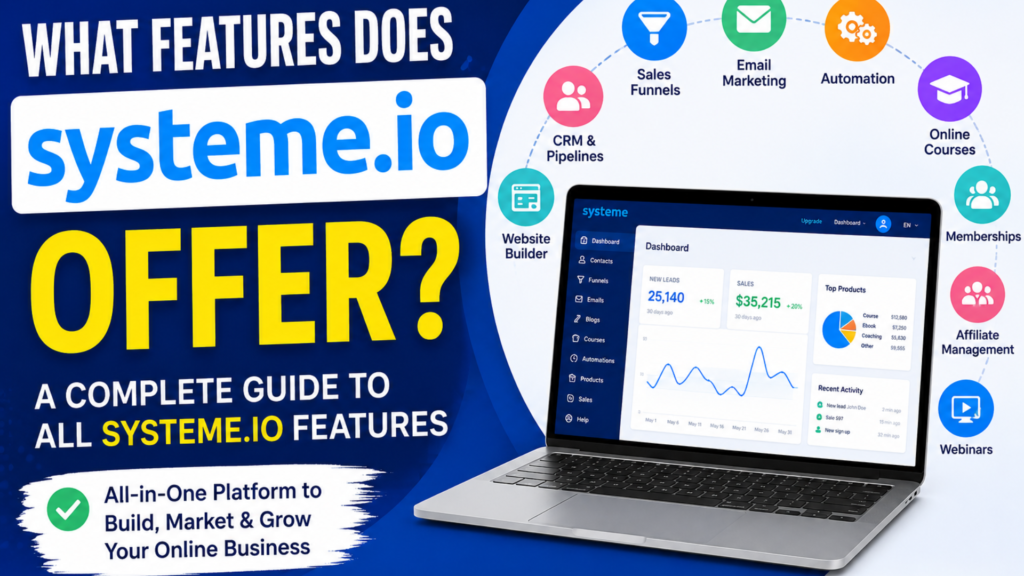
After logging in, we will find different sections for managing our online business.
Although the interface can evolve over time, beginners should become familiar with these core areas:
Funnels
Funnels allow us to create the different pages through which visitors move.
Contacts
Contacts are the people who interact with our business. We can organize and manage leads and customers from this area.
Emails
This section allows us to manage email campaigns, newsletters, and automated email communication.
Automation
Automation allows different actions to happen automatically based on customer behavior.
Courses
We can use the platform to create and deliver online courses and membership content.
Products and Offers
This area is useful when we want to define what we sell and how customers purchase it.
Learning these core sections first gives us a strong foundation for the rest of the Systeme.io tutorial.
Step 3: Build Your First Sales Funnel
A sales funnel is one of the most important features for beginners.
We can create a funnel by deciding what we want visitors to do.
For a basic lead-generation funnel, the structure could be:
Landing Page → Thank-You Page → Email Follow-Up
For a product funnel, the structure could become:
Landing Page → Sales Page → Checkout → Thank-You Page
For a more advanced funnel, we could include:
Traffic → Opt-In Page → Thank-You Page → Email Sequence → Sales Page → Checkout → Order Bump → Upsell
Systeme.io’s current funnel-building resources describe common funnel components such as opt-in pages, sales pages, order forms, order bumps, upsells, thank-you pages, and email sequences.
Step 4: Create a Landing Page
A landing page is designed to persuade a visitor to take one specific action.
For beginners, we recommend keeping the page simple.
A basic landing page can contain:
- A strong headline
- Supporting text
- Benefits
- Relevant image or visual
- Lead magnet description
- Email form
- Call-to-action button
- Trust elements
For example:
Headline:
Get Our Free Beginner’s Guide to Building a Profitable Online Business
Supporting text:
Learn the fundamental steps for creating funnels, capturing leads, and automating your marketing.
CTA:
Get the Free Guide
The most important principle is focus. A landing page should not give visitors dozens of competing actions.
Step 5: Capture Leads With an Opt-In Form
The next step is collecting visitor information.
Typically, we ask for an email address and sometimes a first name.
The purpose is to transform anonymous website traffic into a contact we can communicate with.
A lead magnet could be:
- Ebook
- Checklist
- Template
- Free course
- Webinar
- Video tutorial
- Free consultation
- Coupon
- Resource guide
The stronger the connection between the lead magnet and our paid product, the more useful the resulting email list becomes.
For example, if we sell an SEO course, offering a free SEO checklist for beginners would be more relevant than offering a generic marketing ebook.
Step 6: Create an Email Campaign
Email marketing is another major part of the Systeme.io ecosystem.
Once someone subscribes through our funnel, we can communicate with that person through email campaigns and automated sequences.
A simple beginner sequence could look like this:
Email 1 — Deliver the Free Resource
Immediately provide the promised lead magnet.
Email 2 — Provide Helpful Information
Teach the subscriber something useful related to the problem they want to solve.
Email 3 — Address a Problem
Explain a common mistake and show how to avoid it.
Email 4 — Introduce the Solution
Introduce our product, service, or course.
Email 5 — Call to Action
Encourage the subscriber to take the next step.
Systeme.io supports email campaigns, automated sequences, contacts, tags, and email communication connected with funnels.
Step 7: Use Tags to Organize Contacts
As our email list grows, organization becomes increasingly important.
Tags can help us categorize subscribers according to their actions or interests.
For example:
new-leadebook-downloadedcourse-interestcustomerwebinar-attendeeaffiliateinactive-lead
This allows us to create more relevant communication.
For example, someone who has already purchased a course should not continue receiving emails designed specifically to convince them to buy that same course.
Step 8: Set Up Marketing Automation
Automation is where Systeme.io can become particularly useful.
Instead of manually performing every repetitive task, we can create rules that trigger actions.
A simple automation could work like this:
Visitor submits form → Contact added → Tag applied → Email sequence starts
Another example:
Customer purchases product → Customer receives confirmation → Course access granted → Welcome email sent
We can build increasingly sophisticated workflows as our business grows.
The official Systeme.io training specifically includes lessons on business automation, course delivery, email management, and other automated processes.
Step 9: Create a Product
Systeme.io can also be used to sell digital products and online courses.
Before creating a product, we should clearly define:
What are we selling?
Who is it for?
What problem does it solve?
What transformation does the customer receive?
A digital product might be:
- Ebook
- Video course
- Templates
- Downloadable files
- Coaching program
- Membership
- Training program
A clearly defined offer makes the funnel much easier to build.
Step 10: Create an Online Course
For creators and educators, one of the most useful features is the ability to create online courses.
A beginner course structure could be:
Module 1: Introduction
Module 2: Getting Started
Module 3: Core Concepts
Module 4: Practical Implementation
Module 5: Advanced Techniques
Module 6: Final Project
We should avoid putting everything into one huge lesson. Breaking content into logical modules makes the learning experience easier to follow.
Systeme.io’s official tutorial library includes training specifically for creating and selling online courses.
Step 11: Build a Sales Page
The sales page is where we explain why someone should purchase our offer.
A strong sales page can include:
Problem
Explain the problem the customer is experiencing.
Solution
Introduce the product as the solution.
Benefits
Explain what the customer can achieve.
Features
Describe what is included.
Proof
Add testimonials, examples, demonstrations, or other legitimate trust signals.
Offer
Explain the price and what the customer receives.
Call to Action
Make the next step obvious.
The goal is not simply to make the page look attractive. Every section should help the visitor understand the offer and make an informed decision.
Step 12: Configure Checkout
Once the customer decides to purchase, the checkout page becomes important.
A simple checkout experience should minimize unnecessary distractions.
We should clearly display:
- Product name
- Price
- What is included
- Payment information
- Relevant guarantees or policies
- Purchase button
Depending on the offer, we can also use features such as order bumps and upsells to increase the value of each transaction. Systeme.io’s current funnel documentation includes these as standard funnel components.
Step 13: Add an Order Bump
An order bump is an additional offer presented during checkout.
For example:
Main Product: $49 Marketing Course
Order Bump: $9 Marketing Templates
The additional product should complement the main purchase rather than distract from it.
If the customer is buying a marketing course, related templates, checklists, or resources may make logical order bumps.
Step 14: Add an Upsell
An upsell is presented after the customer purchases or during the purchasing journey, depending on the funnel configuration.
For example:
Main Product: $49 Course
Upsell: $99 Advanced Training
The upsell should provide genuine additional value.
We should never add an upsell simply because the technology allows it. The additional offer should make sense for the customer’s needs.
Step 15: Create a Thank-You Page
After a successful signup or purchase, we should direct the visitor to a useful thank-you page.
For a lead magnet, the page can explain how to access the resource.
For a product purchase, it can provide next steps.
A good thank-you page can also introduce the customer to the next stage of the customer journey.
For example:
Purchase Complete → Welcome Page → Course Access → Getting Started Lesson
This creates a smoother customer experience.
Step 16: Connect Your Custom Domain
Once our funnel works correctly, we can connect a custom domain.
Instead of using a generic platform address, a custom domain can create a more professional brand experience.
For example:
yourbrand.com
could be used for:
yourbrand.com/free-guide
yourbrand.com/course
yourbrand.com/contact
Before sending paid traffic to a funnel, we should test every page, form, button, email, and checkout step.
Step 17: Test Your Entire Funnel
One of the most important steps in this Systeme.io tutorial is testing.
We should go through the funnel as if we were a real customer.
Check:
- Does the landing page load?
- Does the form work?
- Is the contact recorded?
- Is the correct tag applied?
- Does the email sequence start?
- Does the thank-you page work?
- Does the sales page display correctly?
- Does checkout work?
- Does the customer receive the product?
- Are automated emails delivered?
- Do buttons point to the correct destinations?
A funnel that looks perfect but fails during the customer journey can waste traffic and advertising money.
Step 18: Track Funnel Performance
After launching the funnel, we should monitor the results.
Important metrics include:
Visitors: How many people reached the page?
Opt-in rate: How many visitors became leads?
Email engagement: How many subscribers interact with our emails?
Sales conversion rate: How many prospects purchased?
Average order value: How much revenue does each customer generate?
Revenue: How much money does the funnel produce?
These metrics help identify where improvements are needed.
For example, if we receive thousands of visitors but very few email signups, the landing page or offer may need improvement.
If we generate many leads but very few sales, we should investigate the email sequence, offer, pricing, sales page, or customer journey.
A Simple Systeme.io Funnel for Beginners
For someone completely new to funnel marketing, we recommend starting with this structure:
Step 1: Create a free lead magnet.
Step 2: Build an opt-in landing page.
Step 3: Connect the form to your contacts.
Step 4: Create a short automated email sequence.
Step 5: Create a simple sales page.
Step 6: Add your product and checkout.
Step 7: Create a thank-you page.
Step 8: Test the complete funnel.
Step 9: Send traffic to the funnel.
Step 10: Measure and optimize the results.
This simple structure is enough to teach the fundamentals without overwhelming a beginner.
Common Systeme.io Mistakes Beginners Should Avoid
Building Too Many Funnels
We should begin with one funnel and make it work before creating multiple complicated funnels.
Writing Too Many Emails
A small, focused sequence is often easier to manage than dozens of emails.
Ignoring Mobile Devices
A large portion of online traffic can come from smartphones. Every page should be tested on mobile.
Using Too Many CTAs
One primary action per page usually creates a clearer customer journey.
Skipping Testing
Never assume that a funnel works simply because the editor shows everything correctly.
Sending Traffic Before Testing
Paid traffic can become expensive if visitors are sent to a broken form, incorrect link, or malfunctioning checkout.
Systeme.io Tutorial: Best Learning Path for Beginners
We recommend learning Systeme.io in this order:
- Understand the dashboard
- Learn how sales funnels work
- Create a simple landing page
- Create a contact form
- Learn contact management
- Create an email campaign
- Build an automated sequence
- Create a product
- Build a checkout
- Create a thank-you page
- Learn automation
- Build an online course if needed
- Connect a custom domain
- Test the complete funnel
- Study conversion data
- Optimize the funnel
This approach prevents beginners from trying to learn every feature simultaneously.
Systeme.io Tutorial for Affiliate Marketers
Systeme.io can also be useful for affiliate marketers.
A basic affiliate funnel could look like:
Paid Traffic → Landing Page → Lead Capture → Email Sequence → Affiliate Offer
For example, we could create a free guide related to online marketing. Visitors enter their email addresses to receive the guide. We then send helpful educational emails and introduce relevant affiliate products where appropriate.
The important principle is to provide genuine value rather than sending subscribers a constant stream of promotional links.
Systeme.io also provides affiliate-program functionality as part of its broader platform.
Systeme.io for Paid Traffic
For marketers using paid advertising, the funnel becomes particularly important.
A basic paid campaign could follow this structure:
Advertisement → Landing Page → Lead Magnet → Email Automation → Offer
The advertisement should match the landing page.
For example, if the advertisement promises a free sales funnel checklist, the landing page should immediately present that same offer.
This creates message consistency between the advertisement and funnel.
We should also track conversions carefully before increasing an advertising budget.
Systeme.io for Beginners: Final Takeaway
Systeme.io can simplify the process of building an online business by bringing important marketing functions together.
The best approach for beginners is not to learn every feature on the first day. Instead, we should start with one objective and build one complete customer journey.
A practical beginner system is:
Create an offer → Build a landing page → Capture leads → Automate emails → Present the offer → Accept payments → Deliver the product → Measure results
Once that system works, we can add more sophisticated automation, courses, memberships, affiliate programs, upsells, order bumps, and additional funnels.
For structured learning, Systeme.io’s official tutorial course currently covers 18 training videos, including funnels, contacts, emails, automation, online courses, digital files, blogs, affiliate programs, analytics, pipelines, bookings, and more.
The key is to start simple, test every step, understand the customer journey, and improve the funnel based on actual performance.
Frequently Asked Questions About Systeme.io
Is Systeme.io suitable for beginners?
Yes. Systeme.io is designed as an all-in-one platform, and its official learning resources include step-by-step tutorials covering core online-business functions.
Can we build a sales funnel with Systeme.io?
Yes. We can create funnel pages, lead-capture forms, sales pages, checkout experiences, thank-you pages, and email follow-up sequences.
Can beginners use Systeme.io for email marketing?
Yes. Email campaigns, automated sequences, contacts, tags, and funnel-connected email marketing are among the platform’s supported features.
Can we sell online courses with Systeme.io?
Yes. Systeme.io provides tools for creating and selling online courses, and its official tutorial library includes dedicated training for this process.
Can Systeme.io automate marketing tasks?
Yes. Automation can connect actions such as form submissions, contact management, tagging, email sequences, purchases, and product delivery.
What should we build first in Systeme.io?
For most beginners, a simple lead-generation funnel with an opt-in page, thank-you page, and email sequence is a practical starting point. Once that works, we can add a sales page and product checkout.
Where can we learn more about Systeme.io?
The official Systeme.io learning hub provides step-by-step guides covering sales funnels, email marketing, automation, traffic, conversion optimization, and other online-business topics.
Recommended next step: Start with one simple funnel, connect an email sequence, test the entire customer journey, and only then expand into advanced Systeme.io features.