
Meta Description: systeme-io-tutorial: Learn how to use Systeme.io step by step to build sales funnels, landing pages, email campaigns, automations, online courses, and a profitable online business.
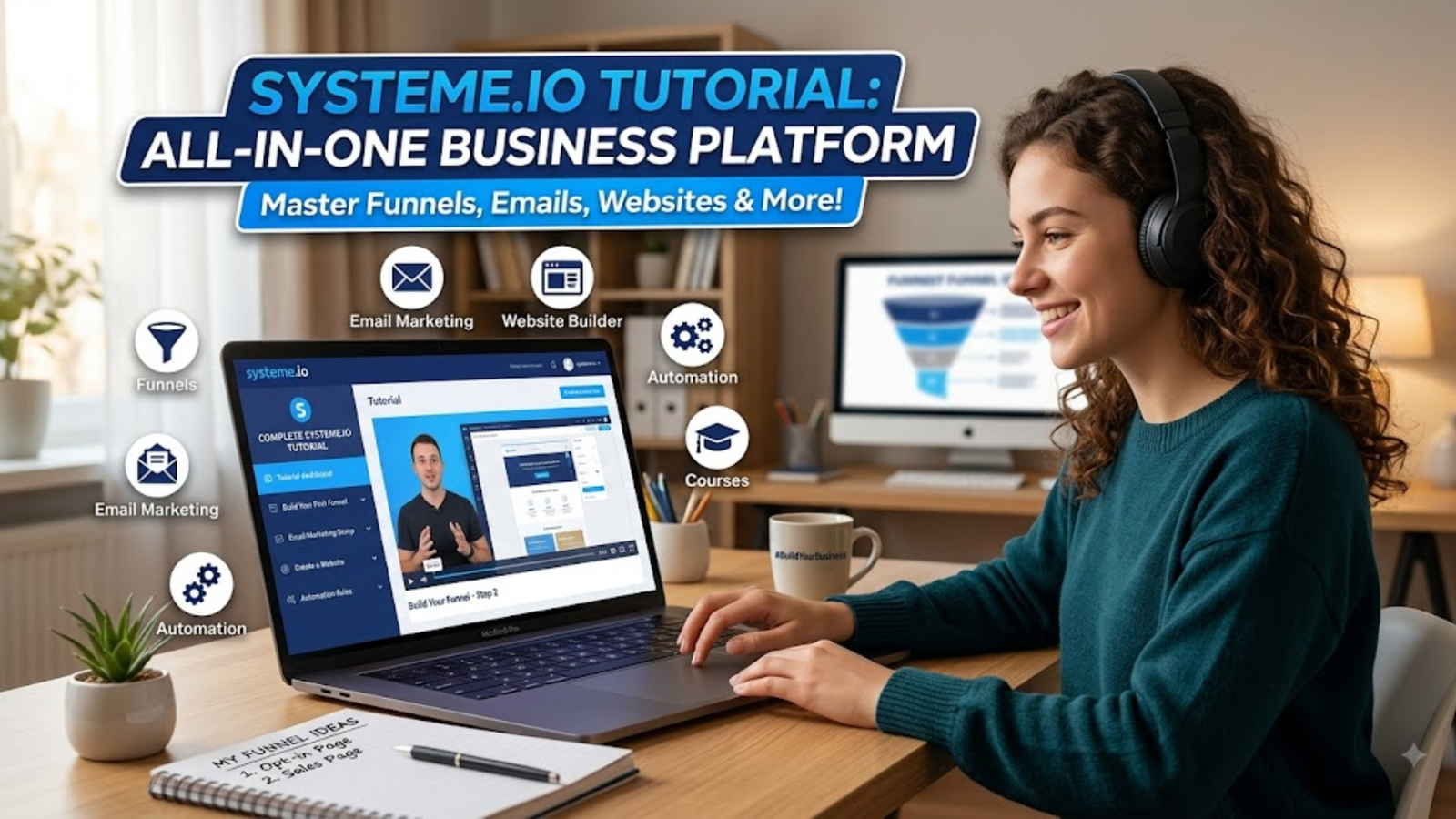
If you’re looking for a simple systeme-io-tutorial that takes you from a blank dashboard to a working online business, you’re in the right place.
Building an online business can feel complicated. You may think you need one tool for landing pages, another for email marketing, another for online courses, another for automation, and yet another for payments.
Systeme.io is an all-in-one marketing platform designed to bring many of these functions together. Its current feature set includes sales funnels, email marketing, automation, online courses, blogs, affiliate management, booking tools, CRM capabilities, and product selling. Systeme.io also offers a free plan, making it possible to start building without immediately paying for a subscription.
This systeme-io-tutorial will show you how to set up the most important parts of the platform, even if you’re completely new to digital marketing.
Systeme.io Tutorial: Complete Roadmap
| Step | What You’ll Learn |
|---|---|
| 1 | What Systeme.io is |
| 2 | How to create an account |
| 3 | Understanding the dashboard |
| 4 | Creating your first funnel |
| 5 | Choosing a funnel type |
| 6 | Building an opt-in page |
| 7 | Creating a thank-you page |
| 8 | Connecting funnel pages |
| 9 | Building an email campaign |
| 10 | Setting up automation |
| 11 | Creating a sales page |
| 12 | Adding products and payments |
| 13 | Creating an online course |
| 14 | Tracking and improving conversions |
| 15 | Avoiding common mistakes |
What Is Systeme.io?
Systeme.io is an all-in-one online marketing platform that lets entrepreneurs build and manage several parts of an online business from one dashboard.
Instead of stitching together several different applications, you can use one platform for many core marketing activities.
According to Systeme.io’s current feature information, the platform includes sales funnels, email marketing, marketing automation, online courses, affiliate program management, websites and blogs, CRM tools, booking functionality, product sales, communities, and more.
That doesn’t mean you need to use everything.
In fact, beginners shouldn’t.
A much better approach is to start with a simple system:
Traffic → Landing Page → Lead → Email Sequence → Offer → Sale
Once that works, you can add more advanced features.
Why Beginners Like Systeme.io
There are several reasons Systeme.io can be attractive to new entrepreneurs:
- Drag-and-drop page building
- Email marketing tools
- Sales funnel templates
- Marketing automation
- Online course functionality
- Product selling
- Affiliate management
- Blogging capabilities
- A free starting option
- Multiple tools managed from one dashboard
The biggest advantage is simplicity.
You don’t necessarily need to learn five different platforms before launching your first funnel.
Systeme.io Tutorial Step 1: Create Your Account
The first step is creating your Systeme.io account.
Visit the official platform and choose the sign-up option.
Enter your basic information and complete the registration process.
Once you’re inside the dashboard, don’t worry if it looks overwhelming at first.
You don’t need to understand every menu.
For your first project, concentrate on these areas:
- Funnels
- Contacts
- Emails
- Automations
- Products/Sales
- Courses
- Settings
Your exact dashboard options can vary depending on your account and plan.
Start With One Goal
Before building anything, answer one question:
What do I want my funnel to accomplish?
For example:
- Collect email addresses
- Sell an ebook
- Sell an online course
- Promote an affiliate offer
- Book consultations
- Give away a lead magnet
- Sell a physical product
Don’t try to accomplish everything with your first funnel.
One funnel should have one primary goal.
Systeme.io Tutorial Step 2: Understand the Dashboard
After creating your account, spend a few minutes exploring the dashboard.
The dashboard is essentially your control center.
You’ll find different tools for building, managing, and tracking your online business.
Funnels
Funnels are where you’ll build the customer journey.
A simple funnel might contain:
Opt-in Page → Thank You Page → Sales Page → Checkout → Confirmation
Contacts
This is where your subscribers and customers are managed.
You can collect leads through forms and organize them using tags and other contact-management features.
Emails
This area lets you communicate with subscribers.
You can create campaigns, newsletters, and automated messages.
Automations
Automation is where the magic starts happening.
For example:
Someone submits your form → Systeme.io adds a tag → Systeme.io subscribes them to an email campaign.
Current Systeme.io documentation describes automation around triggers and actions, including events such as form subscriptions, purchases, and tag additions.
Products and Sales
If you’re selling something, this is where you’ll manage the commercial side of your business.
Courses
If you’re a course creator, Systeme.io can also be used to host and deliver online courses.
Systeme.io Tutorial Step 3: Create Your First Sales Funnel
Now let’s build something.
Go to the Sites → Sales funnels section and select Create.
Systeme.io currently provides several funnel options, including Build an Audience, Sell, Custom, and Run an Evergreen Webinar. The webinar option has plan restrictions.
For your first project, Build an Audience is usually the easiest starting point.
Why?
Because you’re learning how the funnel works without immediately worrying about payment processing.
A Simple Beginner Funnel
Use this structure:
Traffic
↓
Opt-In Page
↓
Thank-You Page
↓
Email Sequence
↓
Offer
This simple setup can work for an ebook, newsletter, affiliate offer, service, course, or digital product.
Give Your Funnel a Name
Use a name that makes sense.
For example:
- Fitness Lead Funnel
- Affiliate Lead Funnel
- Ebook Funnel
- Coaching Funnel
- Systeme.io Affiliate Funnel
Choose your domain and currency as required during funnel creation.
Systeme.io Tutorial Step 4: Choose a High-Converting Funnel Template
After creating your funnel, you’ll usually have the option to start with a template.
Templates can save beginners a lot of time.
But here’s the catch:
Don’t copy a template blindly.
A beautiful page isn’t automatically a high-converting page.
Your funnel needs to match your audience.
For example, a funnel for a business coach shouldn’t look exactly like a funnel selling a recipe ebook.
What Should Your Landing Page Include?
A simple opt-in page should generally include:
- A strong headline
- A clear benefit
- Short supporting copy
- Relevant image or visual
- Email/name fields
- Strong call-to-action
- Trust-building information
Example Headline
Instead of:
Download Our Free Guide
Try:
Discover 7 Simple Ways to Generate More Leads Without Increasing Your Ad Budget
The second headline tells visitors why they should care.
Keep the Page Focused
One of the biggest beginner mistakes is adding too much.
You don’t need:
- 12 navigation links
- 5 different CTAs
- Huge blocks of text
- Multiple unrelated offers
- Complicated menus
Give the visitor one obvious next step.

Systeme.io Tutorial Step 5: Build Your Opt-In Page
The opt-in page is one of the most important parts of your funnel.
Its purpose is simple:
Turn a visitor into a lead.
You can edit your page using the visual editor and add elements such as text, images, buttons, forms, and other sections.
Systeme.io’s current help documentation explains that you can add form input elements to your page and configure the information you want to collect.
What Information Should You Collect?
For most beginner funnels, start with:
- First name
- Email address
Don’t ask for ten pieces of information unless you actually need them.
Every additional field can add friction.
Create a Valuable Lead Magnet
People rarely give you their email simply because you ask nicely.
Give them a reason.
Examples include:
- Free PDF guide
- Checklist
- Spreadsheet
- Template
- Mini-course
- Video tutorial
- Free consultation
- Discount
- Industry report
- Quiz result
Your lead magnet should solve a small but meaningful problem.
Systeme.io Tutorial Step 6: Create a Thank-You Page
Once somebody submits your form, send them somewhere useful.
That’s where the thank-you page comes in.
A simple structure is:
Headline: You’re In!
Message: Your free resource is on its way to your inbox.
Next Step: Tell them what they should do next.
For example:
Check your inbox for the free guide. While you’re waiting, watch this short video to discover the three mistakes that stop most beginners from generating leads.
This page can also introduce your next offer.
However, don’t overwhelm the visitor.
Why the Thank-You Page Matters
Many beginners treat the thank-you page as an afterthought.
That’s a missed opportunity.
Someone who has just submitted their email has already demonstrated interest.
They’re often more engaged than a random visitor.
Use that attention intelligently.
Systeme.io Tutorial Step 7: Connect Your Funnel Pages
Your pages need to work together.
For example:
Opt-In Page → Thank-You Page
When the visitor submits the form, the funnel should move them to the next step.
Systeme.io’s current documentation explains that a form button can be configured to Submit form, with redirection set to the next funnel step.
For a sales funnel, you might use:
Opt-In → Sales Page → Order Form → Upsell → Thank You
The exact structure depends on your offer.
Test Everything
Never assume your funnel works because the editor looks correct.
Test it yourself.
Use a real email address and go through the funnel as if you’re a customer.
Check:
- Does the form submit?
- Does the redirect work?
- Is the contact added?
- Does the email arrive?
- Does the CTA open the correct page?
- Does checkout work?
- Does the thank-you page appear?
A five-minute test can save hours of troubleshooting later.
Systeme.io Tutorial Step 8: Create Your Email Campaign
Now we reach one of the most valuable parts of the system: email marketing.
Getting an email address is only the beginning.
Your job is to build a relationship.
A basic welcome sequence could look like this:
| Day | Purpose | |
|---|---|---|
| Day 0 | Welcome | Deliver the promised resource |
| Day 1 | Problem | Discuss the audience’s main challenge |
| Day 2 | Education | Provide a useful solution |
| Day 3 | Story | Build trust |
| Day 4 | Offer | Introduce your product |
| Day 5 | Objections | Answer common concerns |
| Day 6 | Reminder | Encourage action |
The goal isn’t to spam subscribers.
It’s to provide useful information while naturally moving interested people toward your offer.
Systeme.io’s own email-funnel guidance recommends thinking about the subscriber journey through stages such as awareness, consideration, conversion, retention, and advocacy.
Write Emails Like a Human
Don’t write:
Dear Customer, our revolutionary solution is designed to maximize your entrepreneurial success.
Instead:
You’re probably trying to get more leads without spending a fortune. Here’s the simplest place to start.
Clear beats clever.
Systeme.io Tutorial Step 9: Automate Your Email Sequence
Automation is what turns a collection of pages and emails into a real marketing system.
For example:
Visitor submits form
↓
Contact is added
↓
Welcome email is sent
↓
Contact enters campaign
↓
Follow-up emails are delivered
↓
Offer is presented
Systeme.io’s current help center explains that automation rules can use triggers such as Funnel step form subscribed, New sale, or Tag added, followed by actions such as sending an email or subscribing someone to a campaign.
Example Automation
Imagine you’ve created a free ebook.
Your automation could be:
Trigger: Funnel step form subscribed
Action: Send email
Action: Subscribe to campaign
Then your campaign sends the remaining emails automatically.
Another Example
For a customer:
Trigger: New sale
↓
Action: Add tag “Customer”
↓
Action: Subscribe to customer onboarding campaign
This removes repetitive manual work.
And that’s the whole point of automation.
Systeme.io Tutorial Step 10: Set Up an Automated Welcome Email
Your first email should arrive shortly after signup.
Systeme.io’s current documentation provides a specific process for creating an automation rule using Funnel step form subscribed as the trigger and Send email as the action.
Example Welcome Email Structure
Subject: Your free guide is here
Opening:
Thanks for joining.
Deliver the promised resource:
Here’s your download.
Set expectations:
Over the next few days, I’ll send you a few practical tips to help you solve [problem].
CTA:
Read today’s quick lesson.
Don’t make the welcome email a giant sales pitch.
First, deliver what you promised.
Then start building trust.
Systeme.io Tutorial Step 11: Build a Sales Page
Once your lead generation system is working, you can build a sales page.
A sales page has a different purpose from an opt-in page.
The opt-in page asks:
“Would you like this free resource?”
The sales page asks:
“Is this solution worth buying?”
Essential Sales Page Sections
A strong sales page can include:
- Attention-grabbing headline
- Problem identification
- Desired outcome
- Product introduction
- Benefits
- Features
- How it works
- Testimonials
- FAQ
- Guarantee, where applicable
- Pricing
- CTA
- Final call-to-action
Don’t focus only on features.
Explain the outcome.
For example:
Feature: 30 video lessons
Benefit: Learn the complete process step by step without searching through dozens of disconnected tutorials.
The second statement sells the result.
Systeme.io Tutorial Step 12: Add Your Product and Checkout
If you’re selling a product directly, you’ll need to configure the relevant product and payment elements.
A typical funnel might look like:
Sales Page → Order Form → Upsell → Thank You
Systeme.io documentation shows this kind of funnel sequence and explains how order forms connect to subsequent upsell, downsell, and thank-you steps.
Don’t Make Checkout Complicated
Your checkout should answer:
- What am I buying?
- How much does it cost?
- What do I receive?
- How do I pay?
- What happens after payment?
Keep unnecessary distractions away from the checkout experience.
The closer someone gets to purchasing, the more important clarity becomes.
Systeme.io Tutorial Step 13: Create an Online Course
One major advantage of an all-in-one platform is that you don’t necessarily need another service to host your course.
You can create a course, organize lessons, and deliver content to customers through the platform.
A basic course structure might be:
Course
→ Module 1: Getting Started
→ Lesson 1: Introduction
→ Lesson 2: Basic Concepts
→ Module 2: Implementation
→ Lesson 3: Step-by-Step Process
→ Lesson 4: Common Mistakes
→ Module 3: Advanced Strategies
→ Lesson 5: Scaling
Keep Your Course Simple
Don’t create 100 lessons just because you can.
A focused course that helps students achieve a specific result is often more useful than an enormous library of disconnected content.
For example:
Bad:
Complete Digital Marketing Masterclass
Better:
Build Your First Lead-Generating Funnel in 7 Days
Specific outcomes make products easier to understand and market.
Systeme.io Tutorial Step 14: Use Tags and Segmentation
As your audience grows, you don’t want to send every message to everyone.
Segmentation helps you communicate more intelligently.
You could use tags such as:
- Lead
- Customer
- Course Student
- Interested in SEO
- Interested in Email Marketing
- Webinar Attendee
- Product A Buyer
Then you can build different automation paths.
Example
Someone downloads your SEO checklist.
Add:
Tag: SEO Lead
Then send SEO-related emails.
Someone purchases your course.
Add:
Tag: Course Customer
Then stop sending sales emails for the course and begin onboarding.
This is much better than treating every contact identically.
Systeme.io Tutorial Step 15: Track and Improve Your Funnel
Building your funnel isn’t the finish line.
It’s the beginning.
You need to measure what’s happening.
Important metrics include:
| Metric | What It Tells You |
|---|---|
| Visitors | How much traffic you’re getting |
| Opt-ins | How many people become leads |
| Conversion rate | How well the page converts |
| Email opens | How engaging your subject lines are |
| Clicks | How much interest your emails generate |
| Sales | Whether the funnel produces revenue |
| Refunds | Whether customers are satisfied |
| Revenue per lead | How valuable each subscriber becomes |
Example
Suppose 1,000 people visit your landing page.
100 subscribe.
That’s a:
10% opt-in rate
Now imagine 10 of those leads purchase.
Your lead-to-customer conversion is:
10%
Don’t obsess over one number.
Look at the complete journey.
If traffic is high but opt-ins are low, improve the landing page.
If opt-ins are strong but sales are weak, examine your emails and offer.
If sales are good but refunds are high, examine the product and customer expectations.
How to Build a Simple Systeme.io Funnel for Affiliate Marketing
Systeme.io can also be useful for affiliate marketers.
Instead of sending paid traffic directly to an affiliate offer, you can create your own lead-generation funnel first.
A simple structure is:
Ad → Bridge Page → Opt-In → Email Sequence → Affiliate Offer
This gives you the opportunity to build an email audience rather than relying entirely on one click.
Example Affiliate Funnel
Imagine you’re promoting software.
Your landing page could say:
Discover the Simple Tool I Use to Build Marketing Funnels Faster
CTA:
Get the Free Guide
After the visitor subscribes, deliver a short guide.
Then use an email sequence to educate them about the problem and introduce the software.
This approach can be more sustainable than simply sending cold traffic directly to an affiliate link.
Systeme.io itself has published guidance around using funnels to build email lists and subsequently promote relevant affiliate products and services.
Important: Always follow the advertising rules, affiliate program terms, and applicable disclosure requirements for your traffic source and country.
Common Systeme.io Mistakes Beginners Should Avoid
Even with a simple platform, beginners can make avoidable mistakes.
1. Building Too Much Too Soon
Don’t build:
- Five funnels
- Three courses
- Twenty campaigns
- Ten products
before you’ve validated one offer.
Start small.
2. Writing Weak Headlines
Your headline has one job:
Get attention and make the visitor want to continue.
3. Asking for Too Much Information
If you only need an email address, don’t ask for phone number, company name, address, birthday, and job title.
4. Ignoring Mobile Users
A page that looks great on desktop can be terrible on mobile.
Always test your pages on a phone.
5. Sending Only Sales Emails
If every email says “Buy now,” subscribers will quickly lose interest.
Teach.
Help.
Entertain.
Then sell.
6. Not Testing the Funnel
Always test the complete customer journey.
7. Changing Everything at Once
If your conversion rate improves, you need to know why.
Change one major element at a time when testing.
Systeme.io Tutorial: A Beginner Funnel You Can Build Today
If you want to put this tutorial into action, here’s a simple project.
Step 1: Choose a Problem
Example:
People want to generate more leads.
Step 2: Create a Lead Magnet
Example:
“10 Lead Generation Strategies for Small Businesses”
Step 3: Build an Opt-In Page
Headline:
10 Simple Lead Generation Strategies You Can Start Using Today
CTA:
Get the Free Guide
Step 4: Build the Thank-You Page
Tell subscribers to check their email.
Then introduce a relevant next step.
Step 5: Create Five Emails
Email 1:
Deliver the guide.
Email 2:
Explain the biggest lead-generation mistake.
Email 3:
Teach one practical strategy.
Email 4:
Share a case study or example.
Email 5:
Introduce your paid solution.
Step 6: Add Automation
Set:
Form subscription → Welcome email → Campaign
Step 7: Test
Submit the form yourself.
Check the email.
Click the links.
Test every page.
Step 8: Send Traffic
You can use traffic sources such as:
- Google Ads
- Meta Ads
- Microsoft Ads
- Quora Ads
- YouTube
- SEO
- Social media
- Email partnerships
Start with one traffic source instead of trying everything at once.
Systeme.io vs Using Multiple Marketing Tools
One of the biggest reasons people consider an all-in-one platform is tool consolidation.
Without an all-in-one system, a beginner might need:
| Requirement | Separate Tool |
|---|---|
| Landing pages | Tool A |
| Email marketing | Tool B |
| Automation | Tool C |
| Course hosting | Tool D |
| Affiliate management | Tool E |
| Website/blog | Tool F |
The problem isn’t simply cost.
It’s complexity.
You need to connect the tools, learn multiple interfaces, troubleshoot integrations, and manage several subscriptions.
Systeme.io is designed to consolidate many of these functions into one platform.
That doesn’t mean it’s automatically the best choice for every business.
If you have highly specialized requirements, dedicated tools may offer deeper functionality.
But for a beginner who wants to launch quickly, simplicity can be a major advantage.
Frequently Asked Questions About Systeme.io
1. What is Systeme.io used for?
Systeme.io is used to build and manage online businesses. Its current feature set includes sales funnels, email marketing, automation, online courses, websites, blogs, affiliate management, product sales, and other business tools.
2. Is Systeme.io good for beginners?
Yes. The platform is designed around visual editors, templates, and integrated marketing tools. Beginners can start with a simple opt-in funnel before moving into more advanced automation.
3. Does Systeme.io have a free plan?
Yes. Systeme.io currently offers a free plan with core functionality. Its feature page states that the free plan includes up to 2,000 contacts, unlimited emails, and a first funnel at no cost, although plan features can change over time.
4. Can I build a sales funnel with Systeme.io?
Yes. You can create different funnel structures, including audience-building funnels, sales funnels, custom funnels, and eligible webinar funnels.
5. Can Systeme.io send automated emails?
Yes. You can create automation rules and campaigns. For example, a form subscription can trigger an email and then subscribe the contact to an email campaign.
6. Can I create an online course with Systeme.io?
Yes. Online course hosting is one of the platform’s current features. The course functionality allows creators to organize and deliver educational content through the platform.
7. Can I use Systeme.io for affiliate marketing?
Yes. Systeme.io supports affiliate-related functionality, and marketers can also use its funnels and email marketing tools to build audiences and promote relevant affiliate products.
8. Do I need technical skills to use Systeme.io?
You don’t need advanced coding skills for basic funnel building. The platform uses visual editors and templates. However, understanding copywriting, marketing, traffic, conversion optimization, and email strategy will still help you get better results.
9. How long does it take to build a Systeme.io funnel?
A basic opt-in funnel can potentially be built in a few hours once you understand the interface. A complete sales system with automation, payments, emails, and a course will take longer.
10. What should I build first in Systeme.io?
For most beginners, start with:
One landing page + one thank-you page + one lead magnet + one welcome email + one short email campaign.
Once that works, add your sales offer.
Is Systeme.io Worth Learning?
If you’re just getting started with online marketing, learning an all-in-one platform can save you a lot of unnecessary complexity.
The most important lesson from this systeme-io-tutorial isn’t where to click inside the dashboard.
It’s how the pieces fit together.
Think about the complete system:
Traffic
↓
Landing Page
↓
Lead Magnet
↓
Email List
↓
Automated Follow-Up
↓
Offer
↓
Customer
↓
Retention
That’s your marketing machine.
Don’t worry about building something enormous on day one.
Start with one audience, one problem, one lead magnet, one funnel, and one offer.
Then measure the results and improve them.
The platform gives you the tools, but the real advantage comes from how you use them.
Build simply. Test everything. Improve continuously. And let your funnel do the repetitive work for you.